Sam Rivera1 left
Round trip · 3 seats · North lot, 8:15
AveryJoOne open seat

See who’s driving, who’s riding, and how many seats are left — before practice starts.
CleatShare is in private beta — sign-ups aren't open yet.
Your coach never gets standing access to your child. Location is shared per game, only if you accept, and it switches itself off. See the rulesAn interactive demo of the CleatShare carpool board, with made-up names. Use the “Take Riley” button to move Riley into the open seat in Sam Rivera’s car; it rewinds itself afterwards. No real team data is shown.
A live demo of the real board — tap it. Demo team, made-up names.
Asked at 9pm. Answered by nobody. Asked again at 7am.
Two seats were open on Tuesday. Then they weren’t. Nobody said.
Who’s driving back? Which lot? Is the 3:30 still on?
Three moments, one board. Nobody has to scroll back through a thread to find out what changed.
Opponent, time, field. It lands on the team page with an invite link and a short code — nothing for anyone to install.
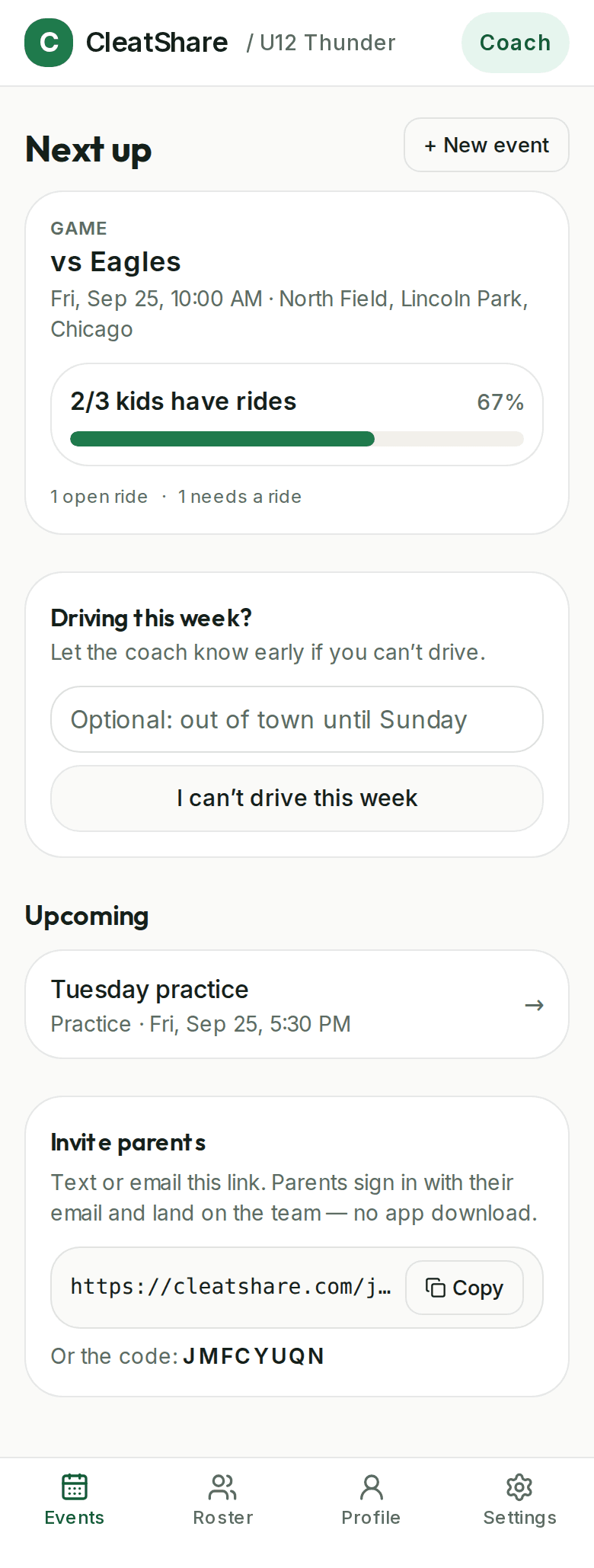
“Three kids, round trip, north lot at 9:00.” The seats go up the moment it’s posted, and the count is the same one everyone else is reading.
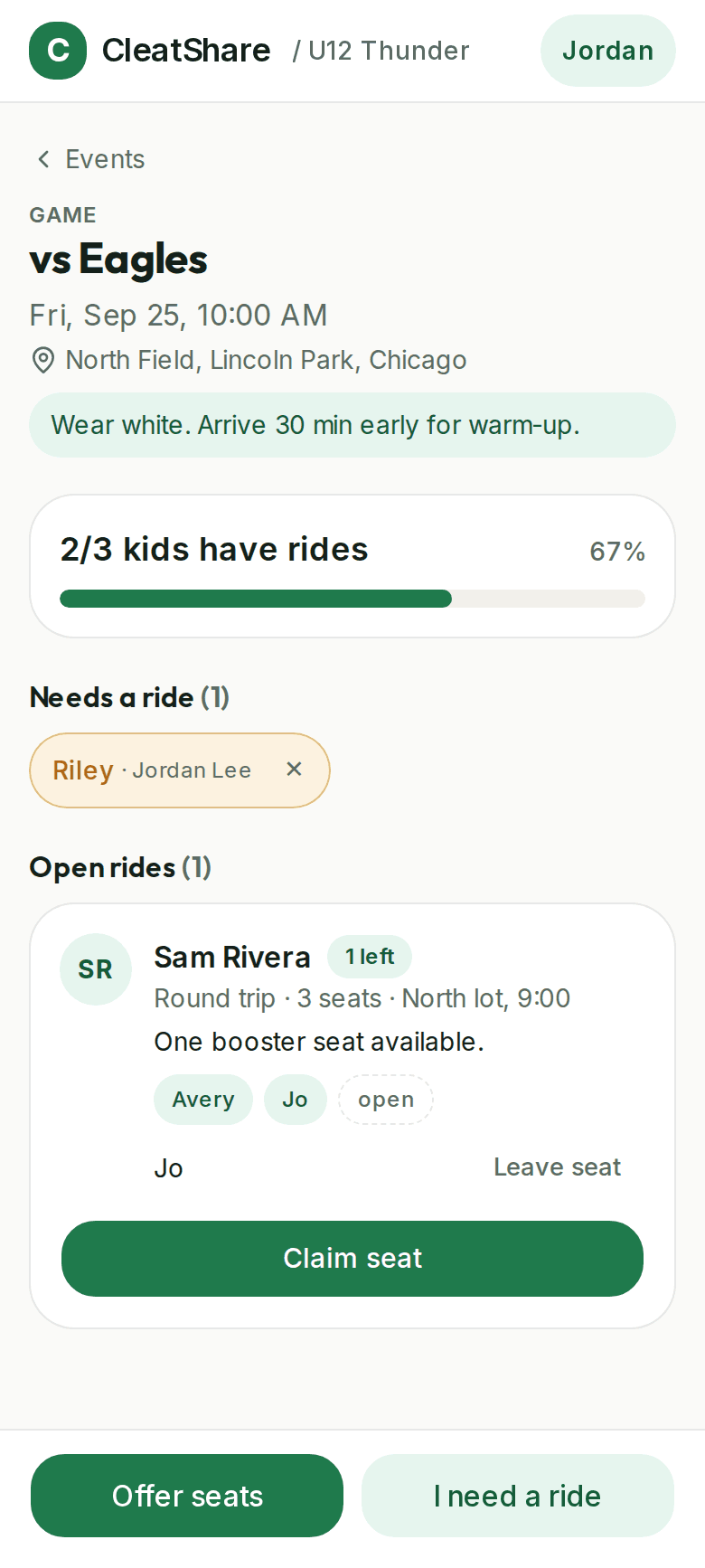
Seats claimed, kids still waiting, and the one number a coach actually needs — how many have rides. No thread to scroll back through.
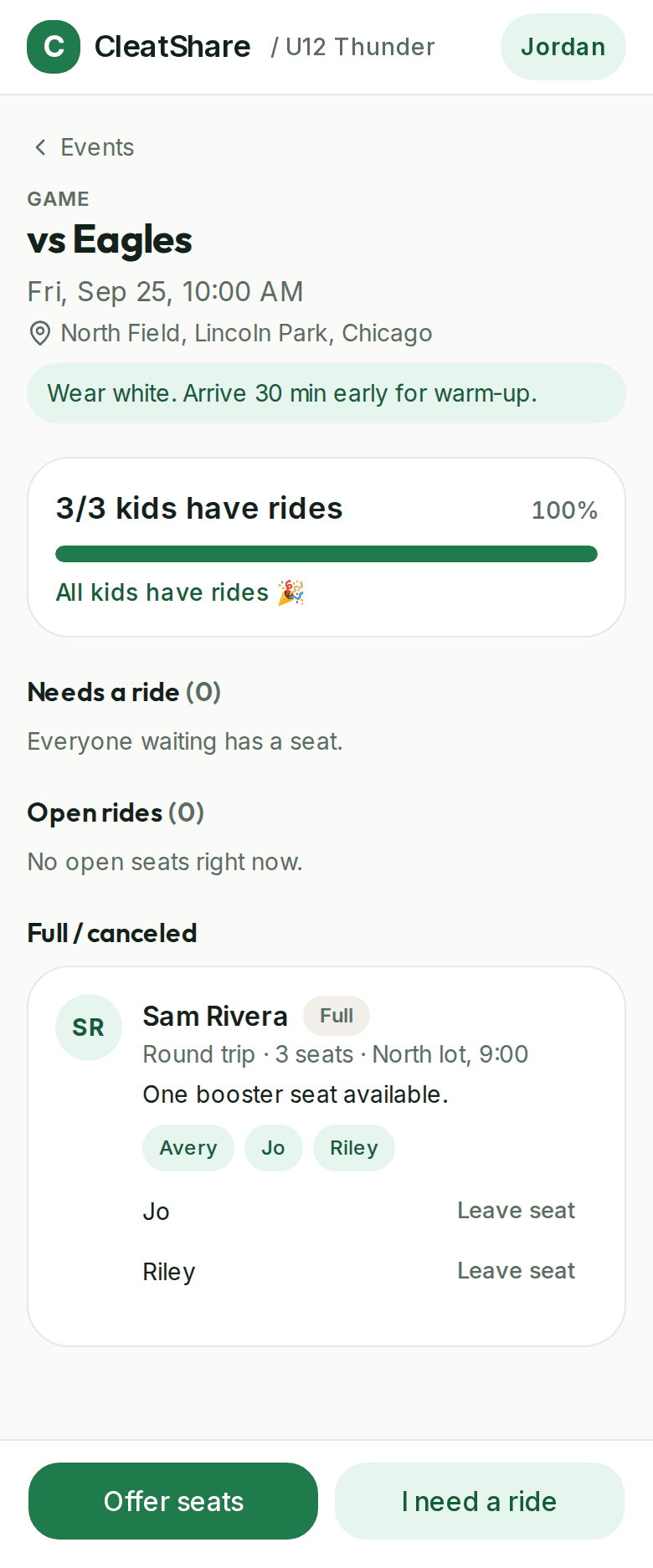
Drivers post seats. Parents claim them. The count updates instantly and never overbooks.
Every ride shows the driver and every kid riding. No guessing at the lot.
“6/11 kids have rides” — the one number a coach actually needs.
No passwords, no app store. Works on iPhone Safari and Android Chrome.
Car full? You’re next in line and move up automatically when a seat frees.
“North lot, 8:15, two booster seats.” The details that make carpools work.
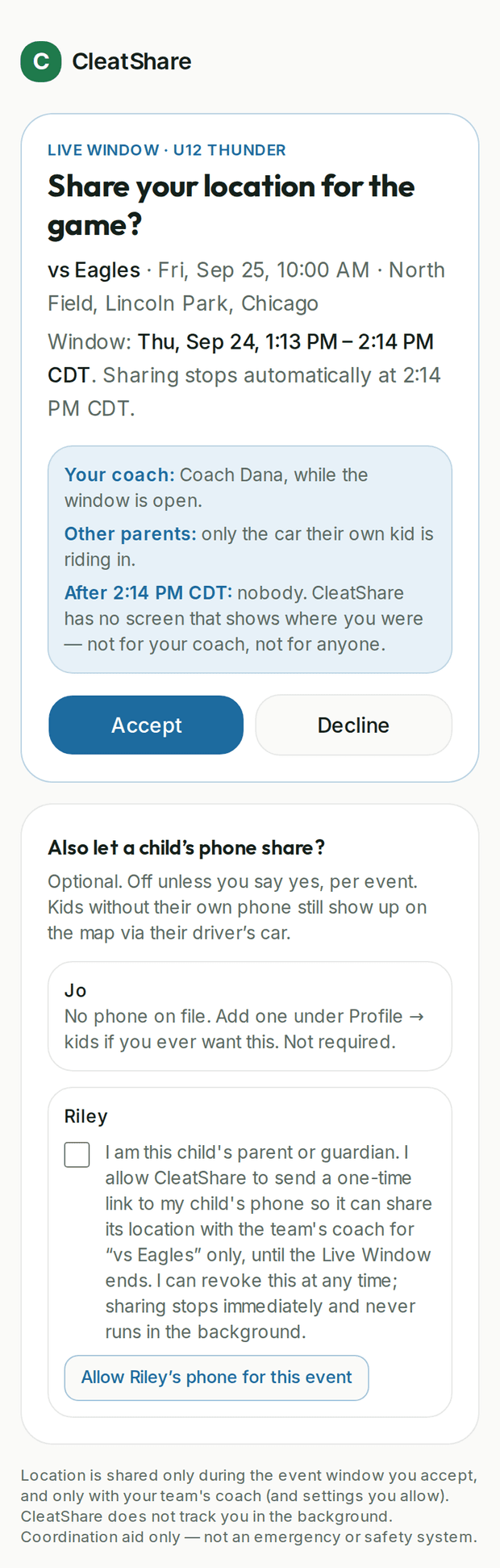
There is no button in CleatShare that shows a coach where a child is. Location is shared only inside a window you accepted, for one event, and it switches itself off — because a volunteer with standing access to eleven children is not a feature, it’s a problem.
Nothing shares by default. Every window is a fresh choice, per event, with Decline the same size as Accept.
At the time the coach set, sharing stops and the live dots disappear. Nobody has to remember to turn it off.
A child’s own phone only ever shares with a parent’s written, logged consent — revocable any time, and a team can switch it off entirely.
Plenty do. It works until the roster grows, the drivers rotate, or someone is left in a car park at 8am.
If you coach eight kids, the same four parents always drive and everyone is on an iPhone — a group text is genuinely fine. CleatShare earns its place at around a dozen kids, several events a week, drivers who rotate, or a club that needs a record of who consented to what.
We do rides. Not chat, not payments, not uniforms, not the whole season. If your team already uses something for the schedule, keep it — CleatShare is the ride board that sits next to it.
CleatShare is in private beta. Leave your email and we’ll reach out as we open more spots.